
TL;DR
Good Vinted inventory management means knowing at any time:
- which items are available, reserved, sold or dead stock;
- where each item is physically stored;
- how much it cost you;
- what margin it can generate;
- when to lower the price, relist or remove it from stock.
If you sell a few personal items, a note or small spreadsheet can be enough. If you buy to resell on Vinted or manage dozens of active listings, a structured inventory becomes essential to avoid wasted time, pricing mistakes and stock that never moves.
Why Vinted stock management becomes a problem
At the beginning, everything feels simple: a few clothes, a few listings, a few sales. Then volume grows. You buy bundles, publish in batches, lower some prices, answer buyers and prepare parcels.
The real risk is not just messy storage. It is losing control of the activity:
- you no longer know exactly what is still available;
- you spend 20 minutes looking for one sold item;
- you forget the real purchase price;
- you discount without knowing whether the margin still works;
- you leave unsold items online for months without action.
A clear inventory turns your Vinted activity into a small business you can actually manage. You stop guessing and start making decisions from data.
What to track for each Vinted item
Your inventory does not need to be complex. It needs to be complete and easy to update.
Essential fields
Track at least:
| Field | Example | Why it matters |
|---|---|---|
| Reference | KNIT-042 | Find the item quickly |
| Category | Women's knitwear | Analyze what sells best |
| Brand | Uniqlo | Compare brand performance |
| Size | M | Avoid listing mistakes |
| Condition | Very good | Reduce disputes |
| Location | Box A / Row 2 | Save time when shipping |
| Purchase price | EUR 6 | Calculate margin |
| Listing price | EUR 24 | Track pricing strategy |
| Status | Available | Know what to sell, relist or ship |
| Publication date | 2026-05-27 | Spot dead stock |
Extra fields for regular resellers
If your goal is to generate margin, also track:
- preparation cost: cleaning, repairs, packaging;
- target margin: your expected profit before listing;
- minimum acceptable price: your lowest acceptable sale price;
- sourcing channel: thrift shop, bundle, flea market, Vinted, consignment;
- sale date: to calculate average time-to-sell;
- internal notes: defects, measurements, seasonality, bundle potential.
These fields help you answer one simple question: should this item stay in my stock?
A 5-step method to organize Vinted inventory
1. Give every item a unique reference
The reference is your anti-chaos system. Keep it simple:
category-number
Examples:
KNIT-001JEAN-014DRESS-032SHOE-008
Add the reference to your spreadsheet or tool, then write it on a label, bag or storage note. The goal is to find the item without thinking.
2. Create a storage location system
A digital inventory is useless if the physical stock is messy.
Use a simple system:
- Box A: women's tops;
- Box B: trousers and jeans;
- Box C: knitwear;
- Box D: shoes;
- Rack 1: premium or fragile pieces.
You can also organize by status: to photograph, to list, listed, sold to pack, or to liquidate.
3. Calculate total cost before pricing
Many resellers think they are profitable because they sell for more than the purchase price. That is incomplete.
Simple formula:
simplified net margin = sale price - total cost
Total cost can include:
- purchase price;
- cleaning;
- small repairs;
- packaging;
- optional listing boosts;
- average cost of unsold items when buying bundles.
Example:
| Data | Amount |
|---|---|
| Purchase price | EUR 5 |
| Cleaning | EUR 1 |
| Packaging | EUR 0.50 |
| Total cost | EUR 6.50 |
| Sale price | EUR 22 |
| Simplified margin | EUR 15.50 |
If you want a quick profitability check, use our Vinted margin calculator. It helps compare purchase price, sale price and real margin before you publish.
4. Update status after every action
Your inventory must reflect reality. Otherwise you end up selling an item that is missing or already gone.
Use simple statuses:
- To process: purchased but not prepared;
- To list: photos and description still needed;
- Available: listing online;
- Reserved: buyer interested or sale pending;
- Sold: payment confirmed;
- Shipped: parcel sent;
- Dead stock: online for a long time with no signal;
- Liquidated: removed, donated, bundled or deleted.
Update the status as soon as the action happens. Waiting recreates manual work.
5. Run a weekly inventory review
Inventory management is not only admin work. It is a decision tool.
Each week, check:
- number of available items;
- number of sold items;
- average margin per sold item;
- average time-to-sell;
- share of dead stock;
- fast-moving categories;
- categories that tie up too much cash.
A 20-minute weekly routine is often enough to choose the next actions: lower 5 prices, relist 10 items, liquidate a weak bundle or focus sourcing on a category that performs.
For the exact edits to test on a stagnant listing (photo, title, price, reposting), follow Vinted listing not getting views.
Spreadsheet or inventory app: what should you use?
The right tool depends mostly on volume.
| Volume | Best option | Main limitation |
|---|---|---|
| Fewer than 20 items | Notes or small spreadsheet | Little automation |
| 20 to 80 items | Excel / Google Sheets | Manual updates |
| 80 to 200 items | Structured spreadsheet or dedicated tool | Error risk if fully manual |
| 200+ items | Specialized tool | Needs a real workflow |
A spreadsheet is useful when starting. But it becomes fragile when you need to track sales, relists, margins, storage locations, bundles and exports.
A tool like Tissuco becomes useful when you want to:
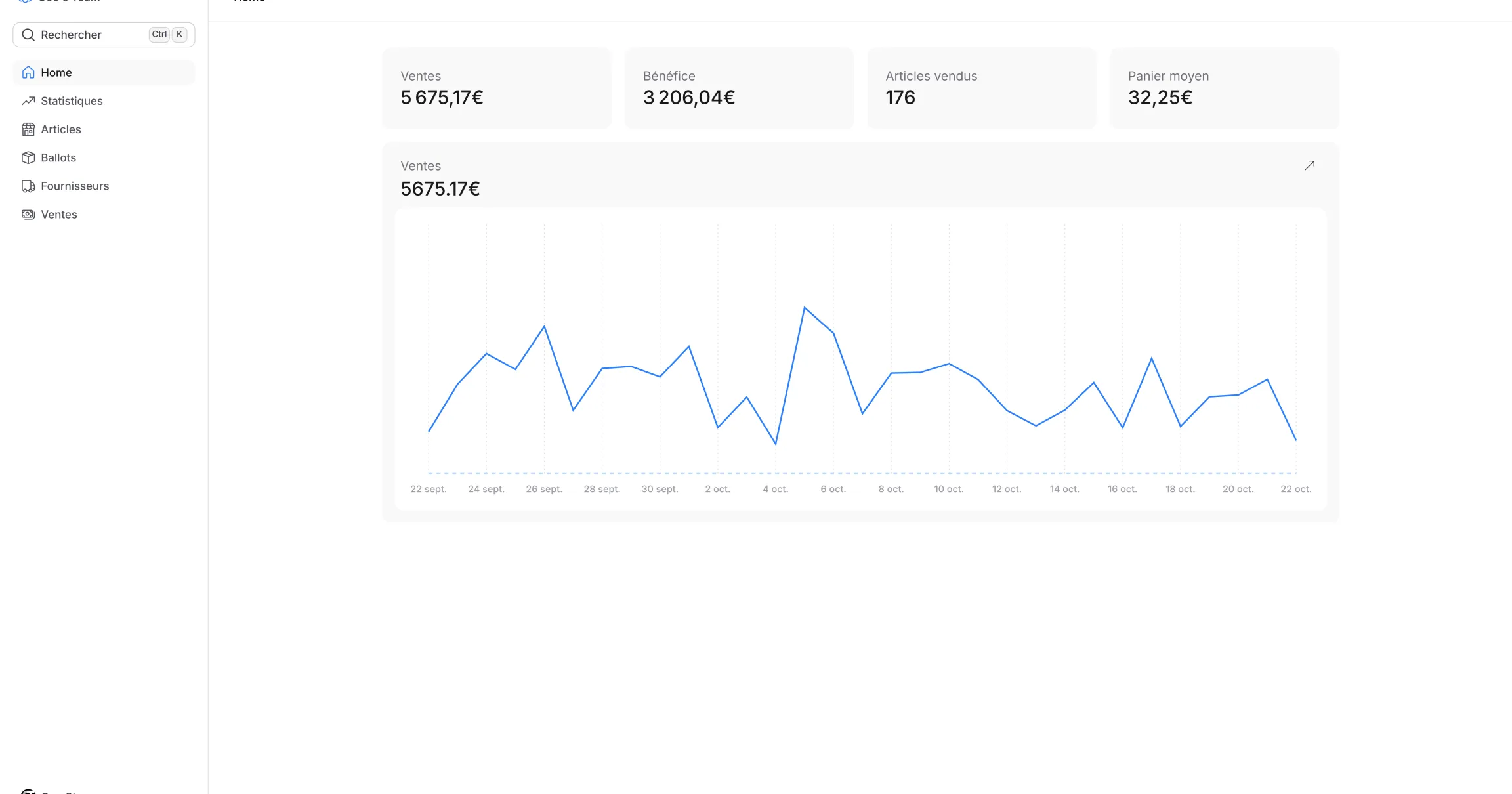
- centralize stock, sales and margins;
- reduce manual input;
- automatically spot dead stock;
- track performance by category;
- work with a more professional routine.
If you are comparing spreadsheets and automation, read our guide on why choose a reseller tool for Vinted.
Simple Vinted inventory spreadsheet template
Start with these columns:
| Ref | Item | Brand | Size | Condition | Location | Cost | Listing price | Min price | Status | Publication date |
|---|---|---|---|---|---|---|---|---|---|---|
| KNIT-001 | Grey wool jumper | Uniqlo | M | Very good | Box C | EUR 6.50 | EUR 24 | EUR 18 | Available | 2026-05-27 |
| JEAN-002 | Blue straight jeans | Levi's | 38 | Good | Box B | EUR 9 | EUR 32 | EUR 24 | Available | 2026-05-25 |
| DRESS-003 | Black dress | Zara | S | Excellent | Rack 1 | EUR 7 | EUR 28 | EUR 21 | Dead stock | 2026-04-10 |
Then add sale date and sold price to measure real results.
Free Vinted stock spreadsheet structure
For a simple setup, create three tabs:
- active stock: all listed or ready-to-list items;
- sales: sale date, sold price, cost, margin and time-to-sell;
- actions: items to photograph, relist, discount or liquidate.
This covers the essentials: inventory, sales tracking and margin control.
When is a Vinted inventory app useful?
A spreadsheet is perfect for learning your method. An app becomes more relevant when the problem is no longer creating columns, but keeping the system updated.
Signs are easy to spot:
- you have dozens of active items;
- you publish and sell every week;
- you want margin tracking without manual formulas;
- you need to identify dead stock automatically;
- you want stock, sales, relists and pricing decisions in one place.
At that point, the goal is not just storage. It is control: knowing what to buy, relist, discount and remove from stock. You can also improve listing quality with our professional Vinted photo guide.
FAQ
List every item with a reference, category, size, condition, location, cost, listing price and status. The goal is to find the item and know its margin in seconds. :::
For beginners, Excel or Google Sheets can be enough. For resellers with dozens or hundreds of items, a dedicated tool like Tissuco gives more reliability, statistics and time savings. :::
Give each item a unique reference and connect it to a physical location: box, rack, bag or shelf. Update the location whenever the item moves. :::
It depends on your discipline. In practice, above 50 to 80 active items, manual updates become heavier and mistakes increase. :::
Review price, photos, title and seasonality first. If the item is still stuck, discount gradually, relist, bundle it or remove it from stock. :::
Use a spreadsheet with item reference, category, size, condition, location, cost, listing price, minimum price, status and publication date. Add sale date and sold price to track margins. :::
Choose an app that centralizes inventory, sales, costs, margins, locations and dead stock. The goal is to avoid duplicate work and quickly know what to list, relist, discount or remove. :::
:::
Conclusion
Vinted inventory management is not secondary work. It is what helps you sell more cleanly, protect margins and save time.
Start simple: one reference, one location, one cost, one price and one status. Then add the metrics that matter as your activity grows.
If your stock is becoming too much to manage in your head, it is probably time to move from a manual spreadsheet to a real inventory workflow.
Ready to organize your Vinted stock?
Tissuco helps you track your items, sales and margins in one place.
- Discover Tissuco features
- Create your account on the sign-up page